
Emochi AI Character Maker
Create emochi ai avatars, emochi ai persona images, anime portraits, and copy-ready prompts with GPT Image 2. Emochi AI Character Maker turns a rough persona idea into a clear visual identity, backstory direction, personality cues, and opening chat setup.
Create a character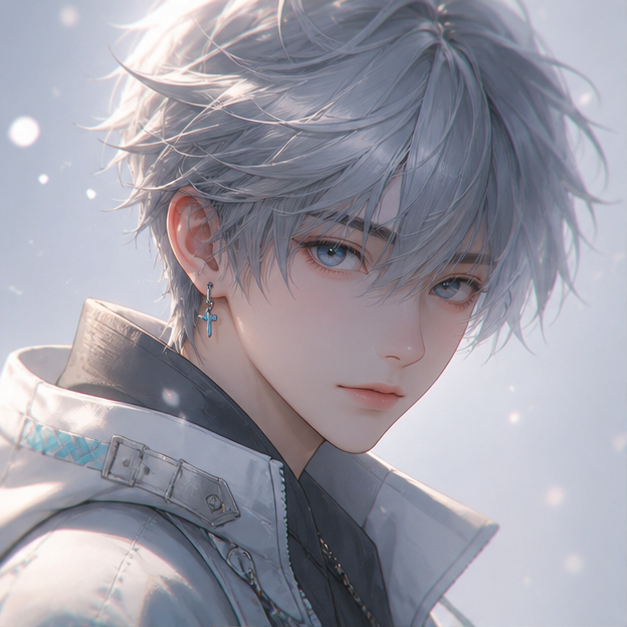
Make your Emochi AI persona for one character idea
Use Emochi AI text prompts, reference images, photo to Emochi AI profile workflows, anime generation, and Emochi AI 3D styles from one simple workflow.
Designed for roleplay character creation
Emochi AI Character Maker helps creators make an emochi ai persona, generate an emochi ai avatar, and prepare stronger visuals before creating a chat persona.
Avatar-first generation
Start with a readable face, memorable silhouette, and visual style that still works when cropped into small profile cards.
Roleplay details baked in
Add personality, relationship tension, occupation, scene, and mood so the image supports the character story from the first chat.
Text or reference image
Create from a written idea or upload a reference photo when you want image-guided Emochi AI or photo to emochi ai profile control over a specific look.
Multiple visual styles
Try anime, emochi ai 3D, realistic portrait, fantasy, game persona, soft romance, or modern social profile styles.
Downloadable results
Save generated emochi ai persona images for your own roleplay profiles, moodboards, prompt notes, and character sheets.
Unofficial and independent
Built as a helper for Emochi users, including people searching emoji AI character or mochi AI character by mistake, without claiming official partnership.
GPT Image 2 Emochi workflow
How to make an Emochi AI persona with text or a photo
Use GPT Image 2 to move from a vague emochi ai persona idea to a usable avatar, persona image, anime portrait, or visual prompt without writing a full art brief.
A good roleplay character starts before the first message. The face, outfit, expression, and setting teach the audience what kind of conversation is about to happen. For Emochi-style profiles, square outputs work best when the face, shoulders, and one memorable costume cue remain readable after the avatar is cropped small.
Text prompting is useful when you know the personality but do not have artwork. For an emochi ai profile, write the prompt like a character card: visual age range, hair and eye details, outfit, relationship dynamic, first-scene mood, and one boundary such as original character only. This gives GPT Image 2 clearer signals than a generic style keyword list.
Image guidance is better when you have a reference image or visual direction to preserve. Upload a reference only when you have permission to use it, then describe what should change: photo to emochi ai persona conversion, anime portrait style, realistic portrait style, emochi ai 3D avatar style, fantasy costume, or softer lighting.
After generating two or four images, choose the version with the clearest profile crop and the strongest personality cue. Download the image, then reuse the useful visual details as Emochi character notes: appearance, opening scene, speaking style, relationship tension, and a short safety note to avoid official characters or celebrity impersonation.
For avatar polish
Use square 1:1 output when the image needs to stay readable in small chat cards or profile thumbnails.
For character art
Use taller ratios when clothing, pose, and body language matter as much as the face.
For prompt reuse
Keep the best Emochi AI visual details and reuse them as stable notes for future character iterations.
How to make an Emochi AI persona for Emochi
Go from a rough emochi ai idea to a usable GPT Image 2 persona image in a few steps, whether you want to make your emochi ai profile from text or a reference photo.
- 01
Describe the character
Write the name, appearance, personality, relationship dynamic, outfit, and scene. Keep the prompt specific but flexible.
- 02
Choose 2 or 4 images
Generate two images for a quick draft, or four images when you want more variety before choosing a final avatar direction.
- 03
Pick avatar or character art
Use 1:1 for a profile avatar or a taller ratio for roleplay character art with clothing and pose.
- 04
Download and reuse the prompt
Save the best image and copy the visual direction into your Emochi character card or prompt notes.
Simple credits for Emochi AI persona images
Start with free credits, then upgrade when you need more avatars, persona images, or GPT Image 2 variations.
Emochi AI Character Maker FAQ
Common questions about emochi ai avatars, GPT Image 2 roleplay images, and Emochi-ready visual prompts.
Create your next Emochi AI persona
Turn a rough Emochi AI roleplay idea into a polished GPT Image 2 avatar and persona image for your Emochi workflow.