Old Photo Restorer Online

Use the old photo restorer to repair scratches, cracks, fading, blur, stains, and lost color while keeping the people, clothing, pose, and historical character of the original photo intact.

Best old photo restorer features for real family archives

A useful old photo restorer needs more than a cosmetic filter. It should repair physical damage, restore faded contrast, colorize old black and white photos, and upscale details without changing the people in the picture. This old photo restorer online workflow is built for family portraits, wedding photos, school pictures, travel snapshots, military portraits, scanned album pages, and other sentimental images where identity matters more than dramatic reinvention.

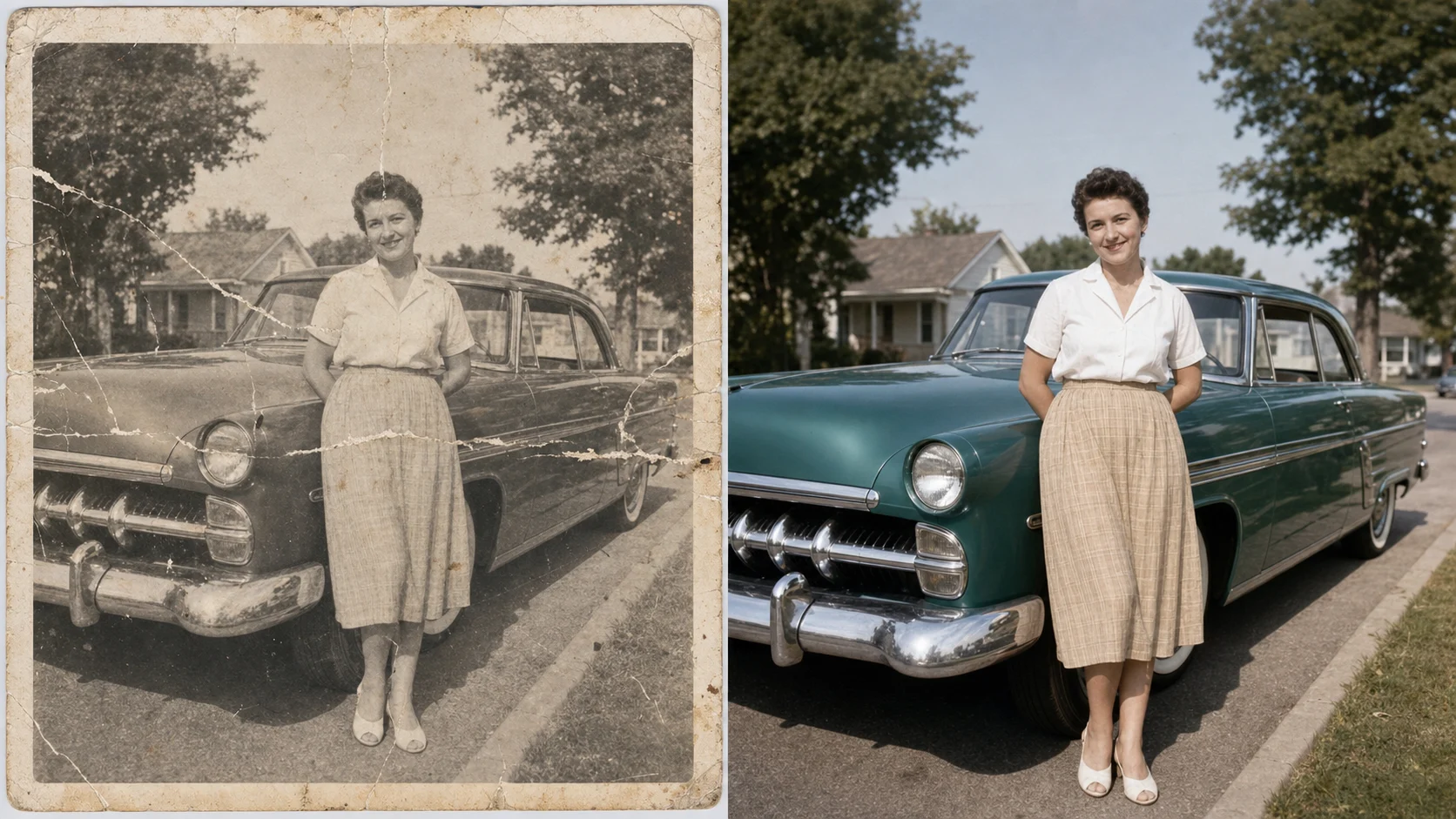
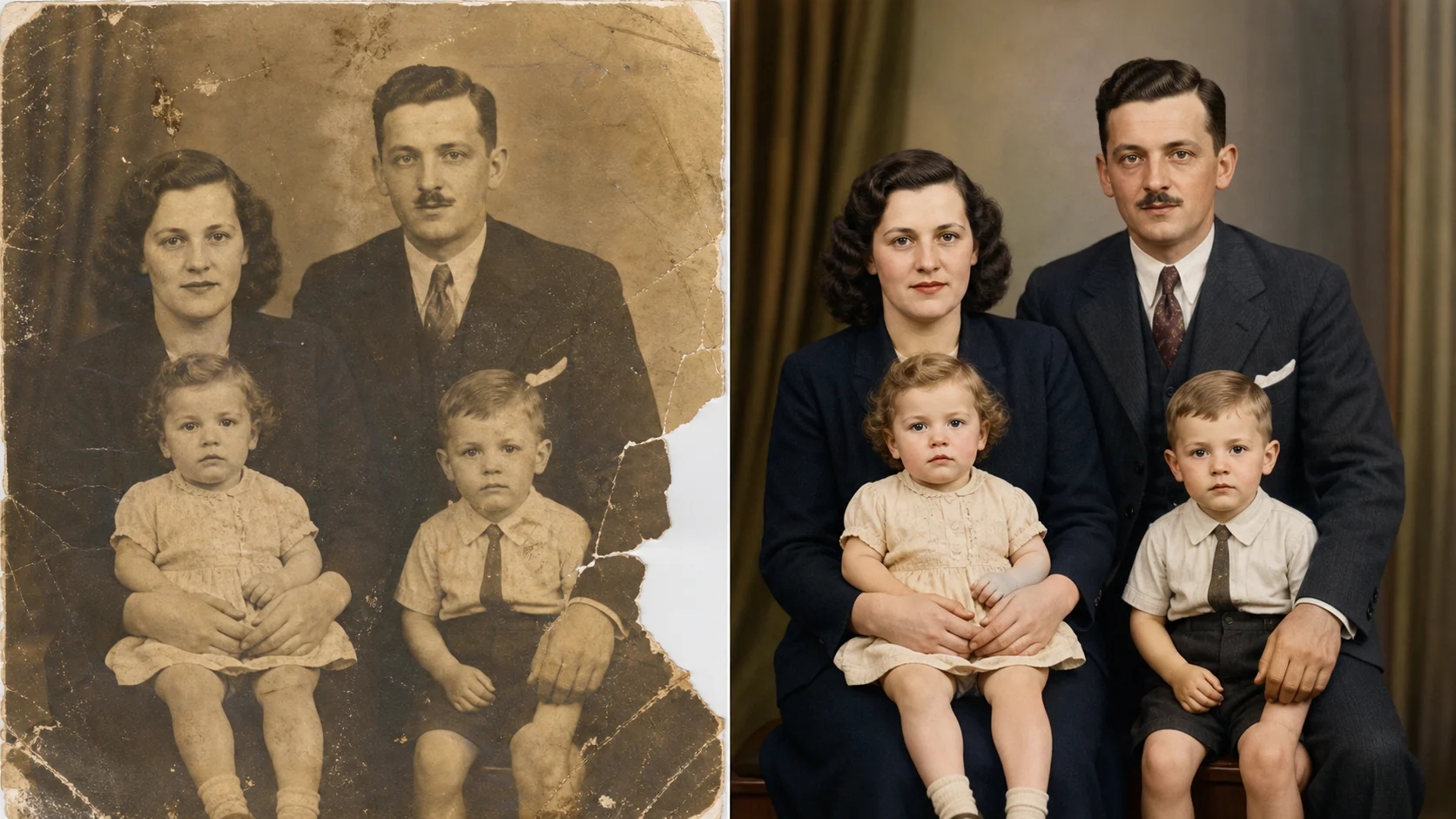
Old photo restorer repairing scratches cracks stains and fading on a family portrait

Damage Repair

Repair scratches, cracks, stains, and faded paper

The old photo restorer can clean common archive damage such as dust, stains, torn edges, crease lines, low contrast, blur, and faded paper. Instead of asking for a brand new scene, describe the exact repair task: remove scratches, rebuild missing paper, restore contrast, keep the same face, keep the same pose, and preserve the original clothing. That instruction helps the ai old photo restorer focus on faithful repair. The result should look like a careful restoration, not a new portrait inspired by the old one.

Scratch repairCrack cleanupFaithful restore
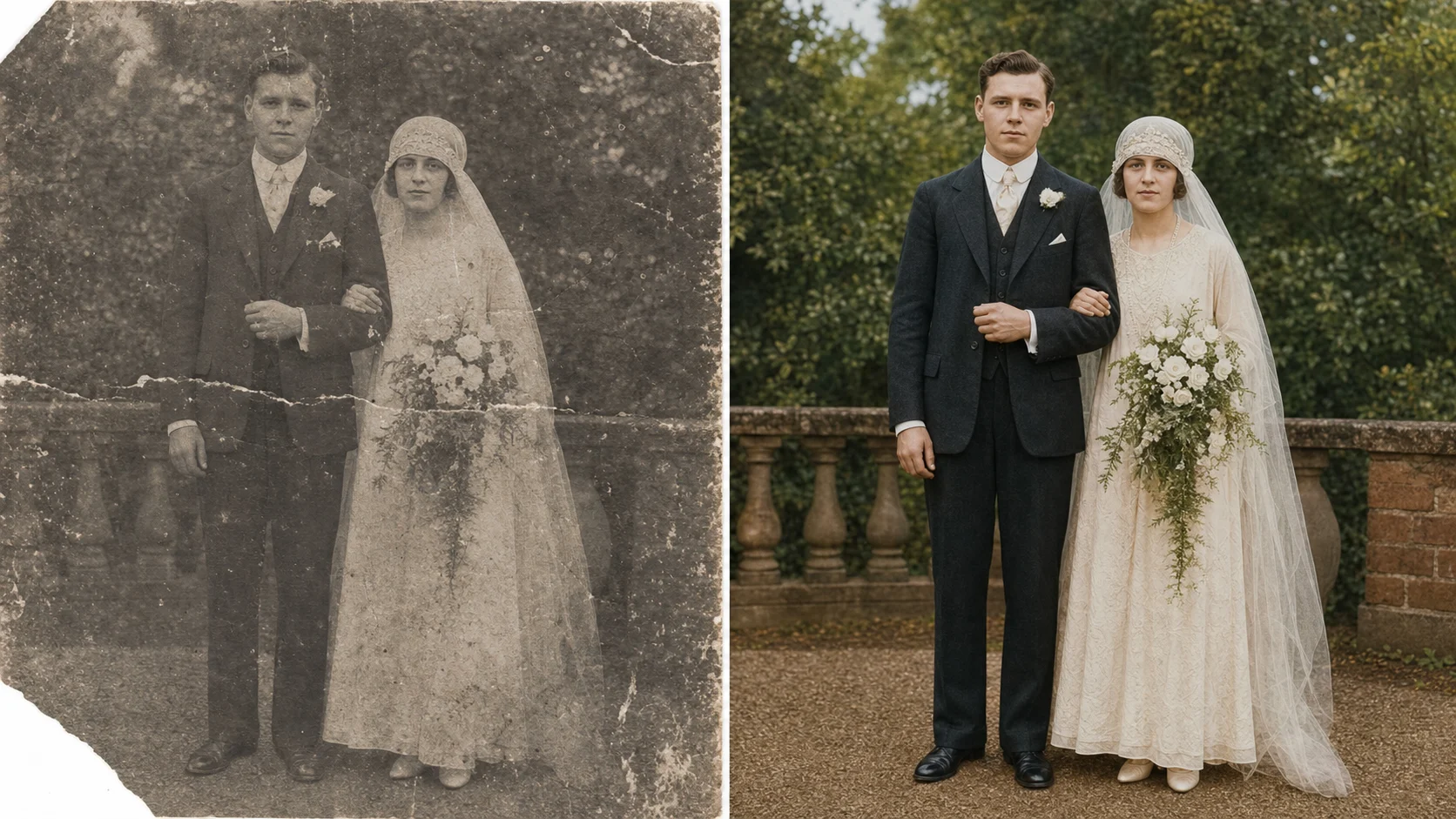
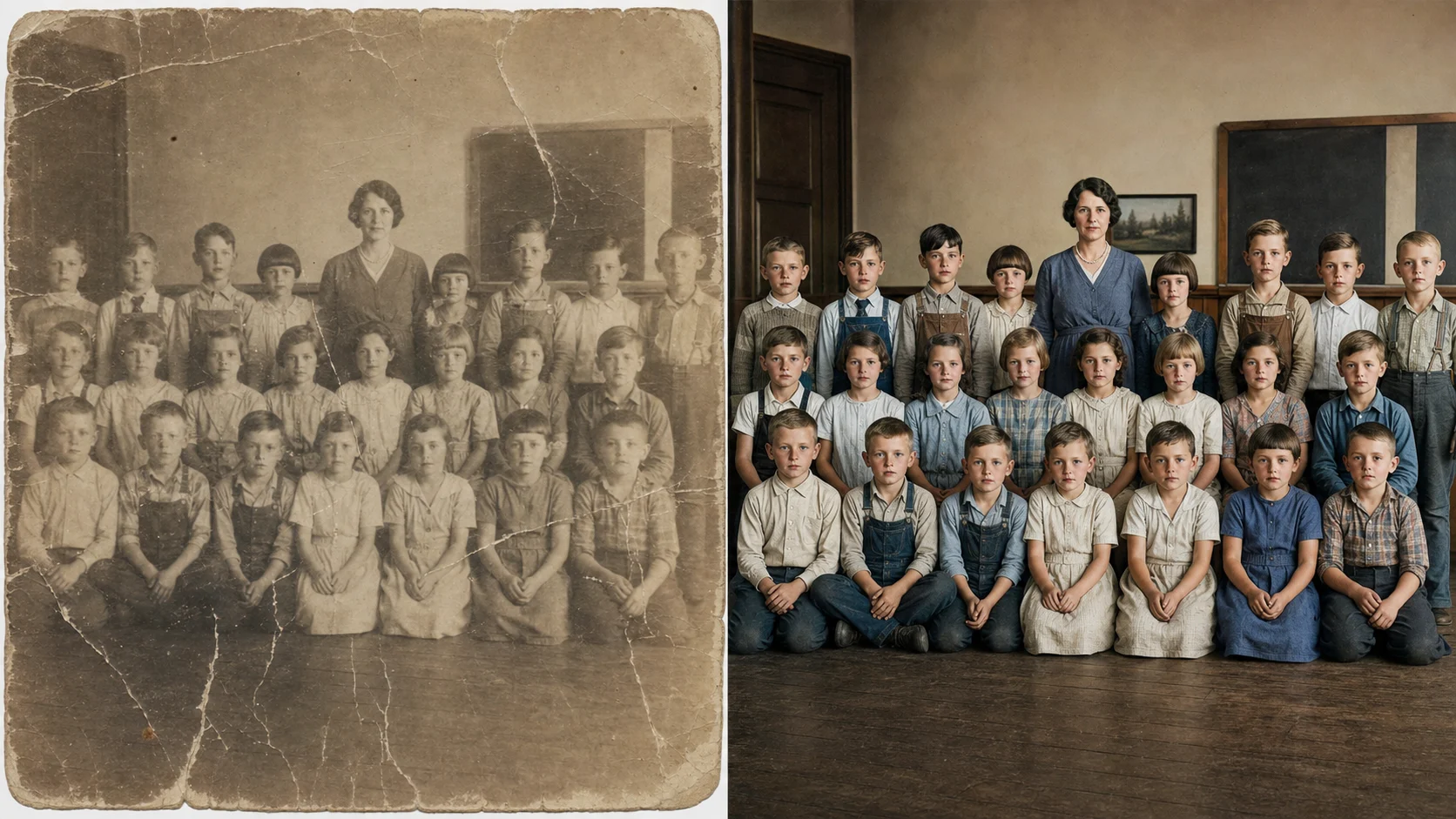
Old photo restorer and colorizer example for a damaged vintage wedding portrait

Colorize

Use an old photo restorer and colorizer together

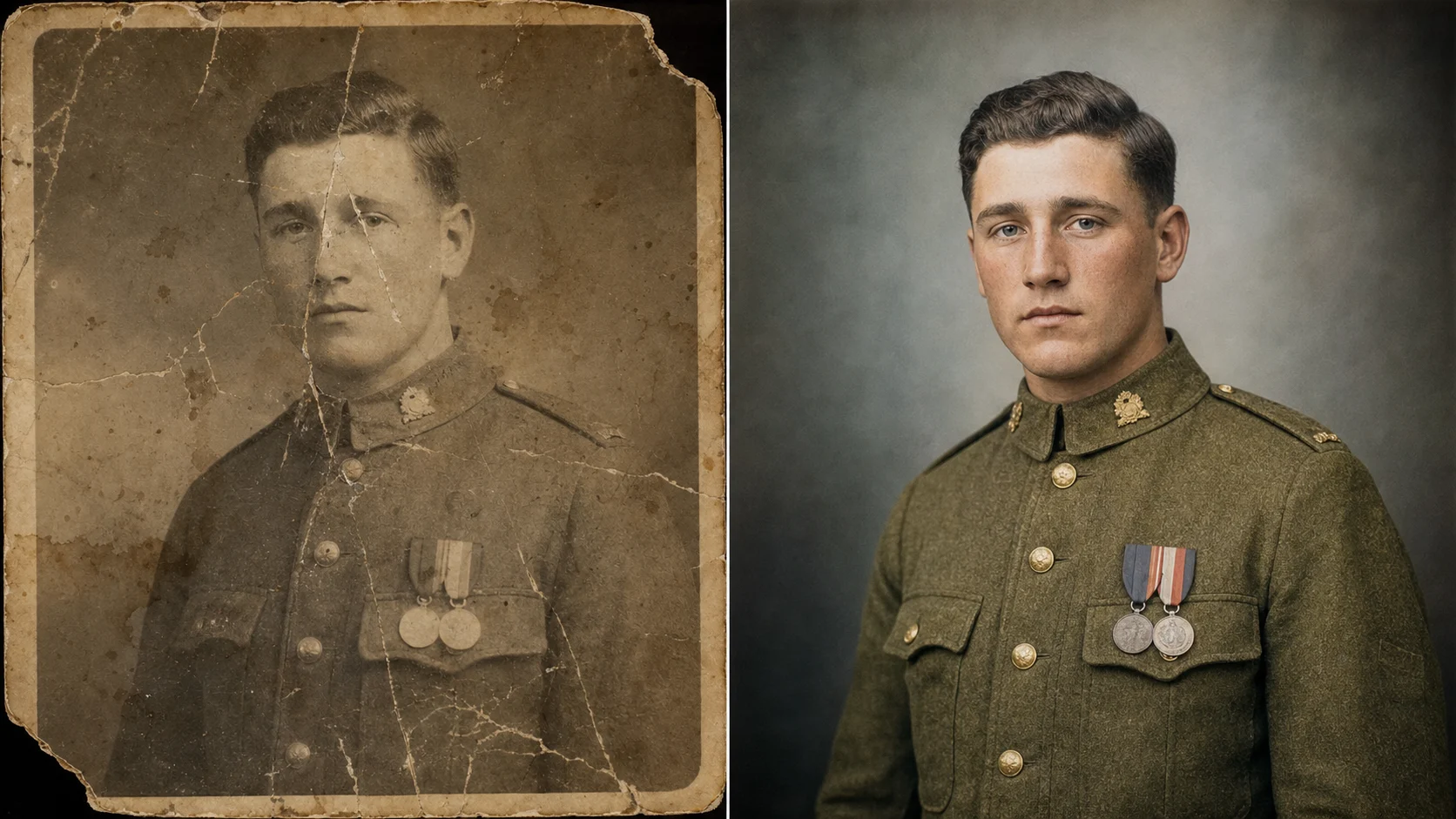
An old photo restorer and colorizer is useful when the scan is black and white, sepia, or heavily faded. The best old photo restorer does not oversaturate skin, clothing, or backgrounds. It uses natural color, balanced light, and realistic texture while respecting the era of the image. For wedding portraits, school photos, and military portraits, mention period clothing, authentic fabric color, realistic skin tones, and no modern fashion replacement. This keeps the old photo restorer free online workflow respectful and believable.

Natural colorSkin tonesPeriod detail
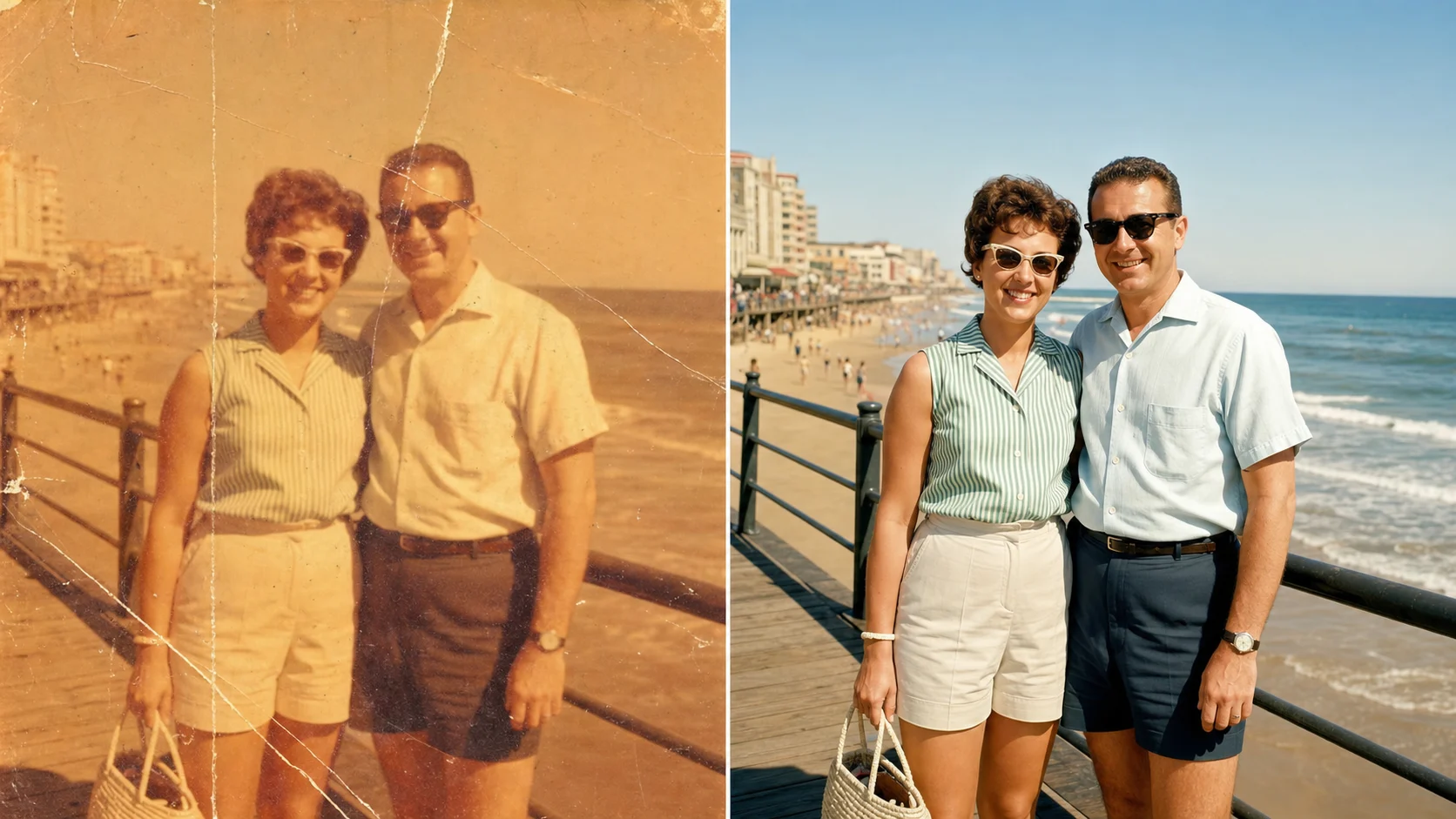
AI old photo restorer colorizer upscaler turning a faded street snapshot into a 4K restoration

Upscale

Turn an old photo to new 4K without losing identity

Many people search old photo to new 4k because they want a picture that can be printed, shared, or framed again. A good ai old photo restorer colorizer upscaler improves clarity, but it should not invent a different face. Ask the old photo restorer to sharpen facial detail gently, recover fabric texture, repair stains, correct color, and keep the same person. When the photo includes several people, ask it to preserve all faces and avoid changing age, expression, hairstyle, or pose.

4K upscaleFace preservationPrint-ready
Workflow

How to use the old photo restorer online

The old photo restorer works best when the uploaded photo and prompt give the model a clear restoration boundary. Keep the instruction focused on repair, color, detail, and preservation.

1

Upload the best scan you have

Start with the clearest scan or phone capture available. Even an old photo restorer free workflow performs better when the original has enough face detail and lighting information. Crop away empty scanner borders if they distract from the photo, but keep damaged edges if you want them repaired.

2

Name the damage

Tell the old photo restorer what to fix: scratches, cracks, fold marks, water stains, dust, fading, blur, missing corners, low contrast, or color cast. Specific damage words help the ai old photo restorer choose repair behavior instead of applying a generic beauty filter.

3

Protect identity and history

Add preservation rules for faces, clothing, pose, age, expression, period details, and background. The best free old photo restorer online should make the picture cleaner while keeping the original people recognizable.

4

Choose color and quality

Ask for natural colorization, clean high-resolution output, balanced lighting, realistic texture, and old photo to new 4k quality. If you want a pure black and white restoration, say no colorization and focus on contrast, repair, and sharpness.

Old photo restorer prompt ideas

Use these prompt structures when you want the old photo restorer to produce a clean transformed result from one uploaded image. The examples on this page use comparison artwork to show the effect, while your generation should return one restored photo.

Old Photo Restorer FAQ

Common questions about using an old photo restorer online, choosing prompts, colorizing pictures, and turning old photos into clean 4K results.


Restore an old photo now

Upload a damaged portrait, wedding photo, class picture, or travel snapshot and use the old photo restorer to repair damage, add natural color, and create a clean high-resolution result.

Try the old photo restorer