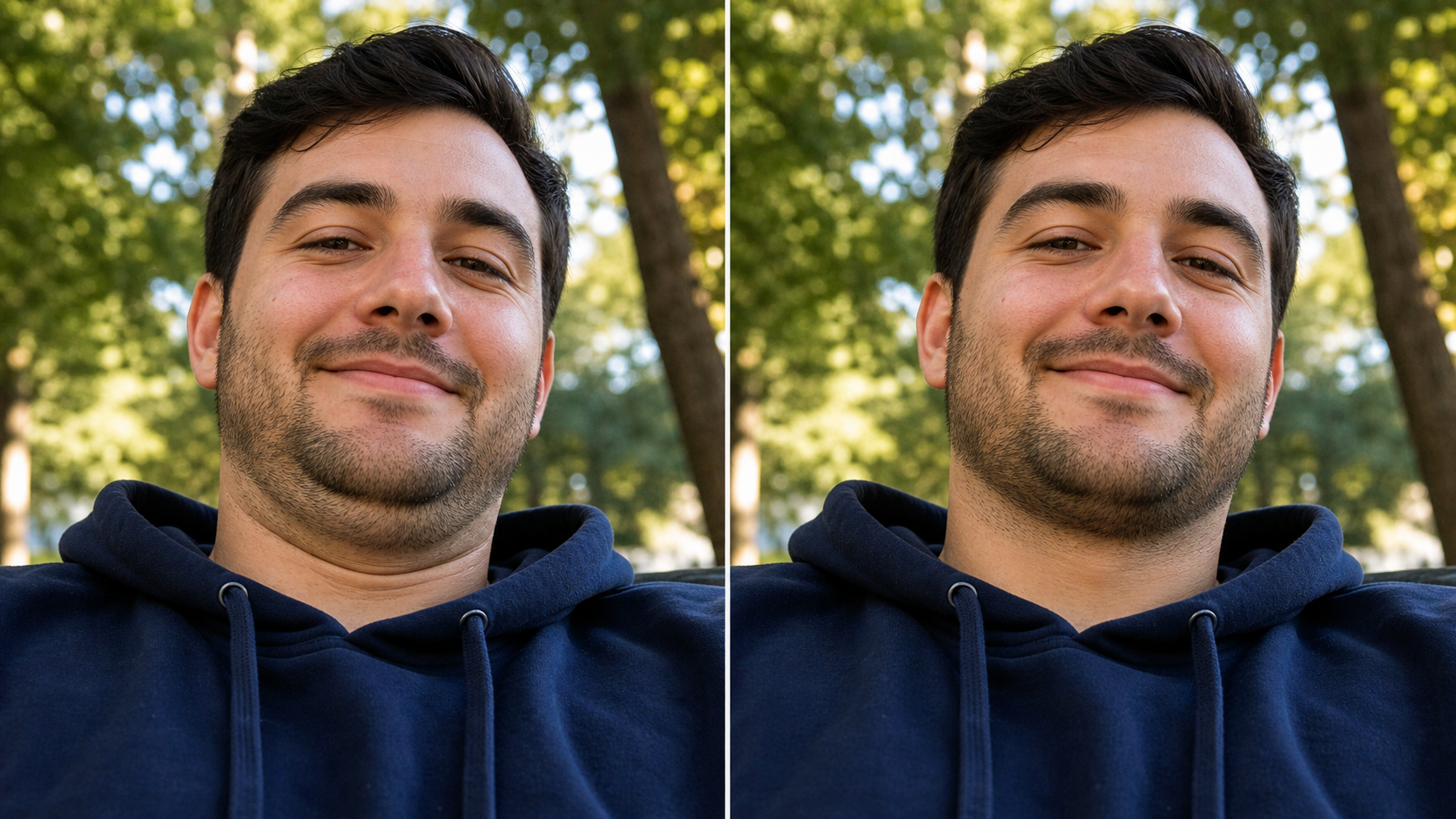
Remove double chin from photo naturally

Upload a portrait and remove double chin from photo without turning the person into someone else. Emochi AI is built for the common low-angle selfie problem: the photo is flattering, the smile is real, the light is good, but the under-chin area looks heavier than it felt in the moment. Use this photo editor to remove double chin, keep identity intact, and get a believable social-ready result. The examples show comparison images, but your generation returns one transformed photo.

A photo editor to remove double chin without changing the face

The goal is not a dramatic makeover. The goal is to remove double chin from photo in a way that feels like the same person on a better camera angle. Whether you need to get rid of double chin in photo for a profile image, edit out double chin from a family snapshot, or use a double chin picture remover for a casual post, the edit should stay realistic.

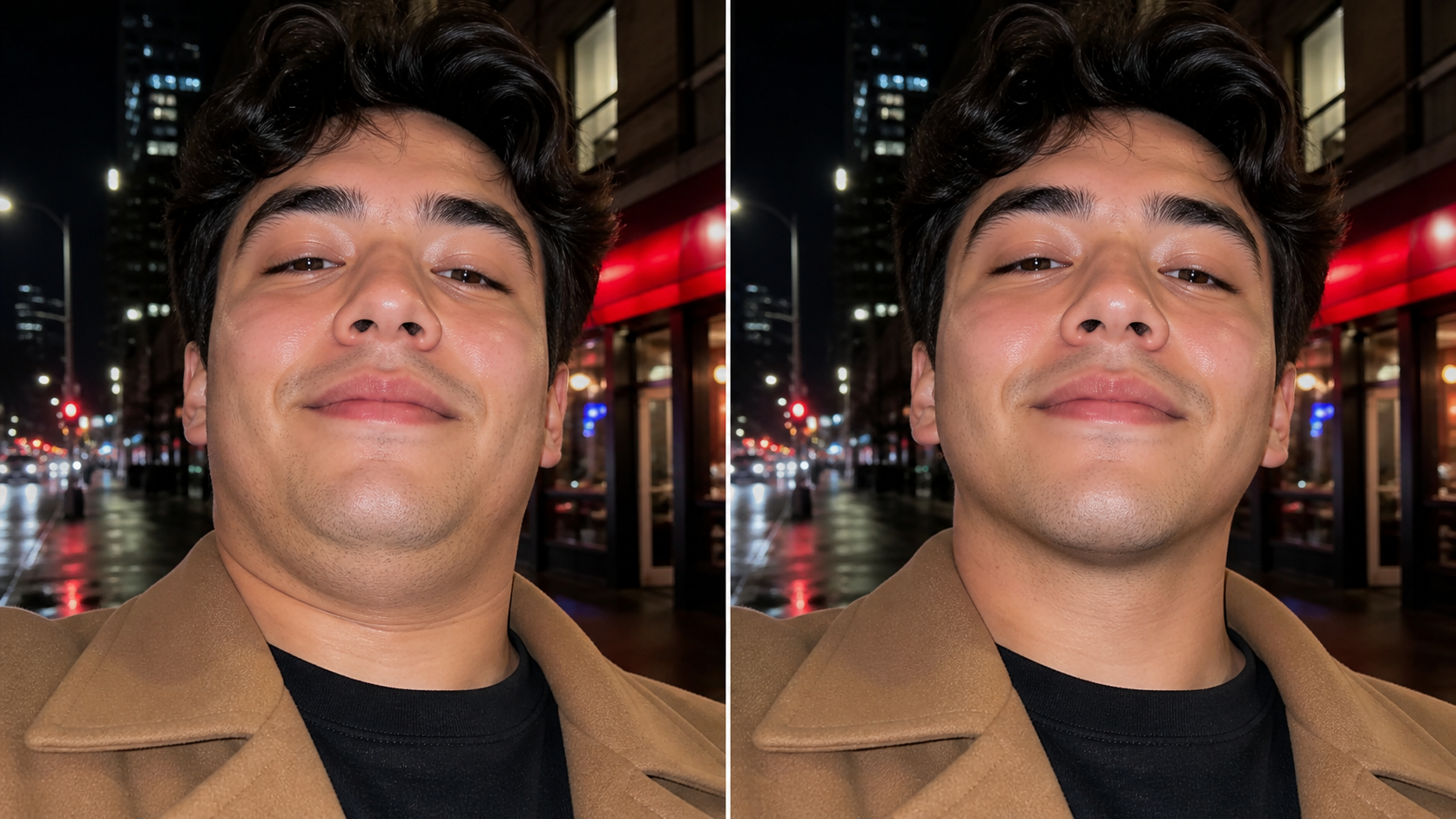
Get rid of double chin in photo while preserving the same man and natural park lighting

Identity Preserved

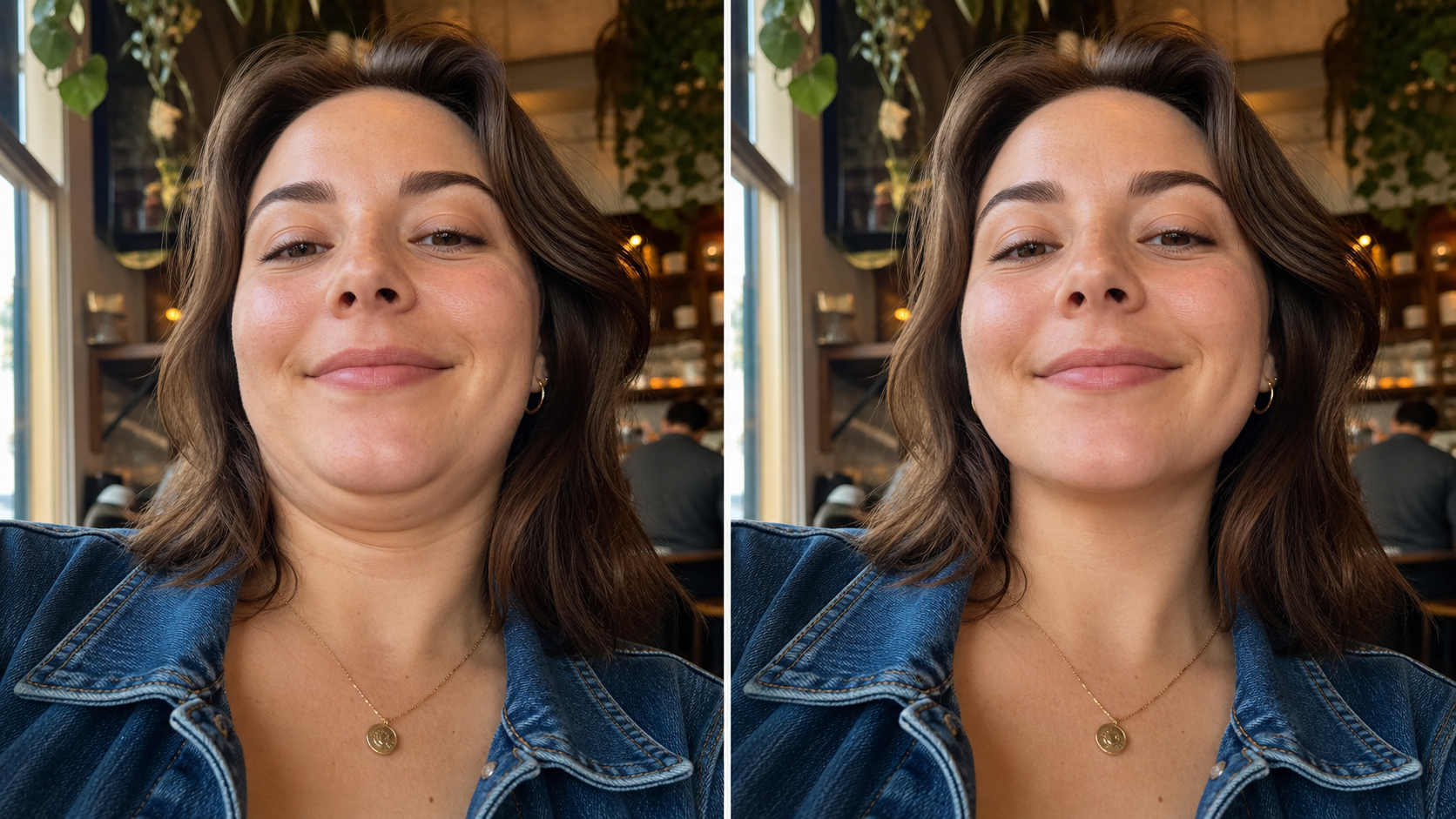
Get rid of double chin in photo while keeping the real person

A useful photo editor to get rid of double chin should understand the difference between gentle cleanup and face replacement. Emochi AI asks the model to preserve face shape, age, skin tone, expression, hair, clothing, background, and lighting. That matters because people usually want to remove double chin from photo, not rebuild their entire face. The under-chin area is refined, the jawline shadow becomes cleaner, and the rest of the portrait stays anchored to the original image. This makes the page practical for anyone who wants to remove double chin picture artifacts from a low phone angle while keeping the photo emotionally true.

Identity awareUnder-chin cleanupReal texture
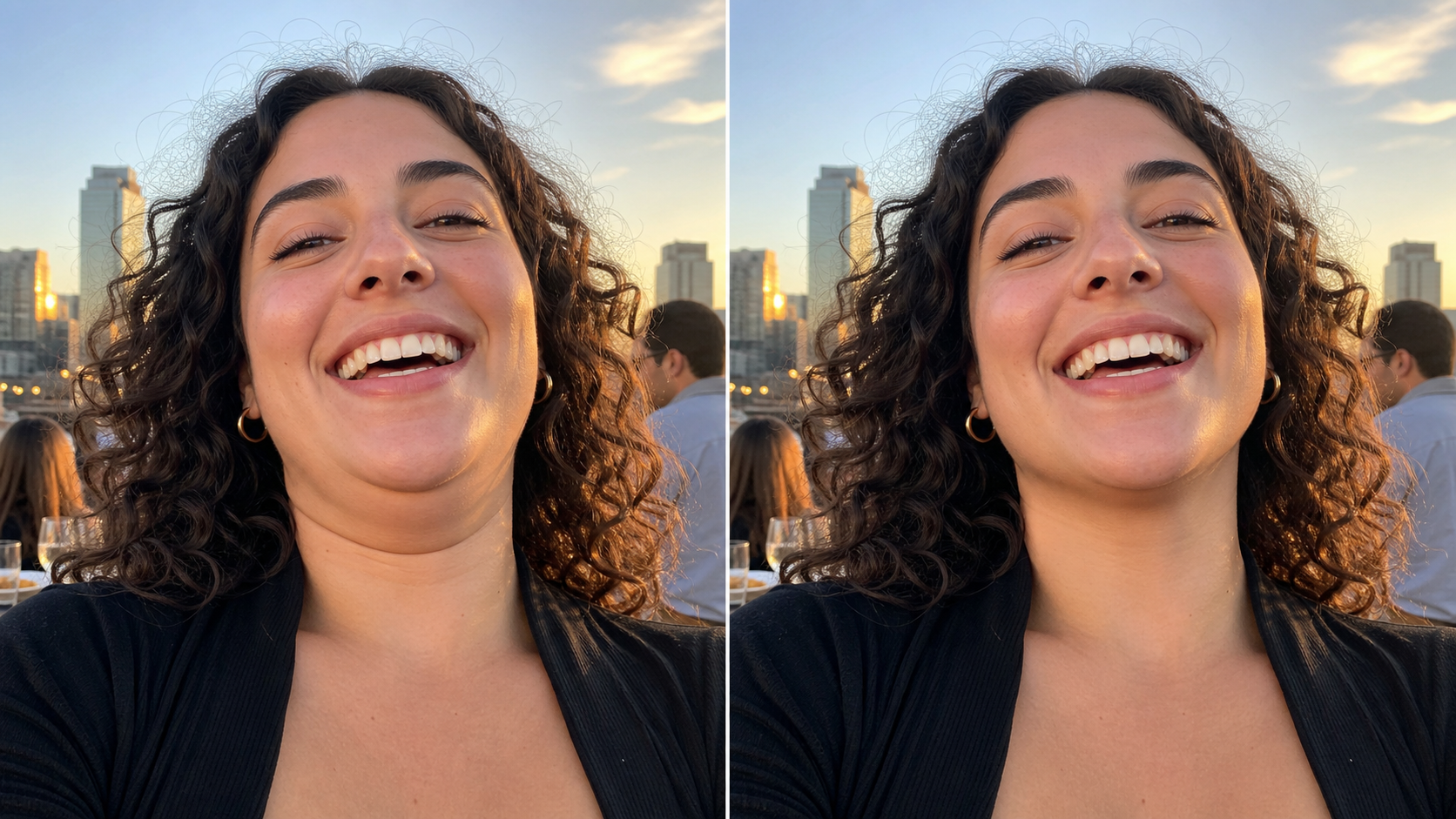
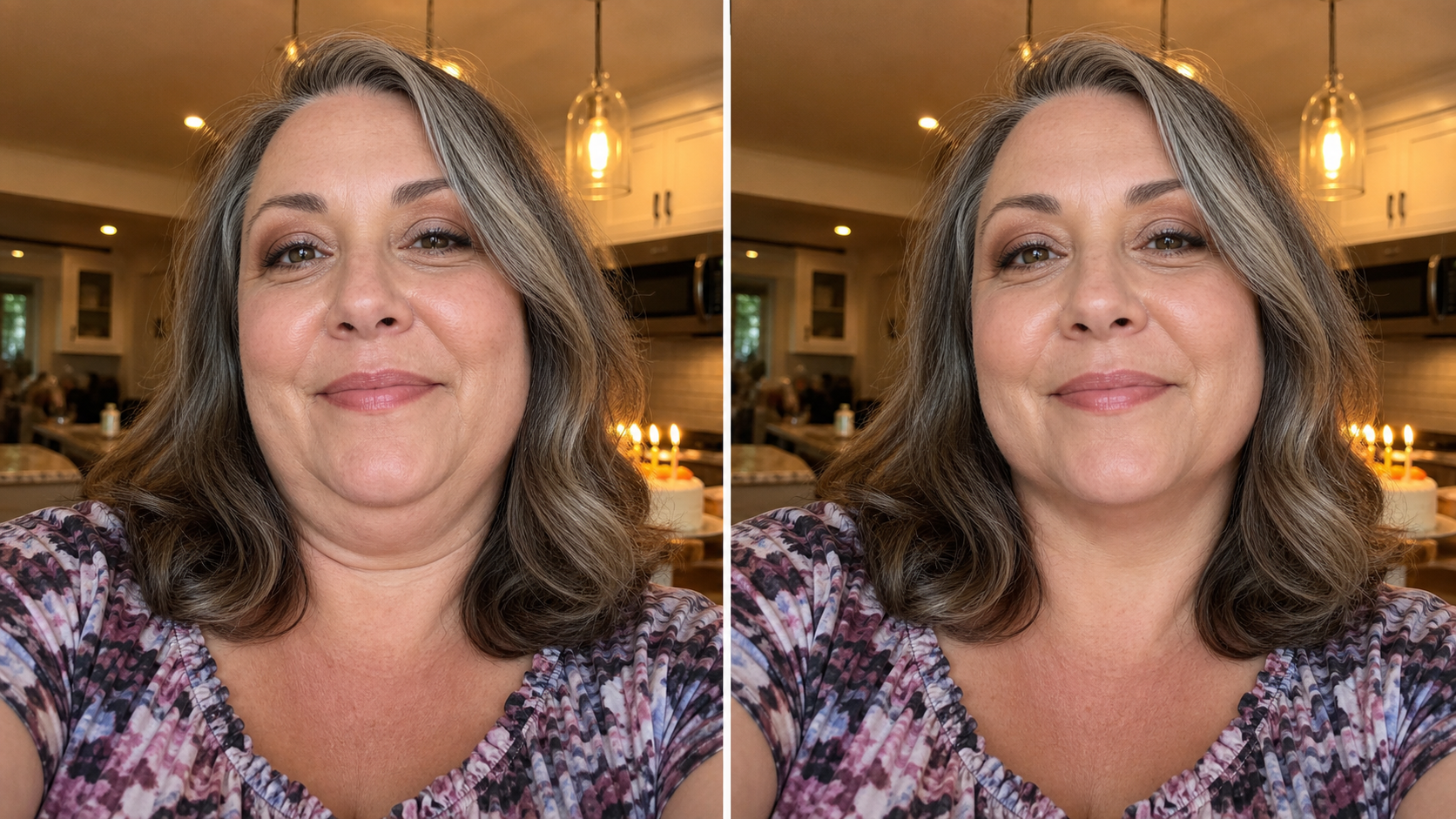
Edit double chin out of photo naturally while keeping the same smile and sunset rooftop scene

Natural Retouch

Edit double chin out of photo without a plastic beauty filter

Many people search remove double chin from photo online free because they do not want to learn clone tools, liquify brushes, masks, or jawline sliders. They also do not want a filter that erases pores or changes cheeks. This double chin removal photo editor online keeps the finish subtle. It can fix double chin in photo caused by laughter, posture, camera height, or a relaxed neck. The model focuses on the small region below the chin, blends realistic shadows, and avoids an exaggerated weight-loss effect. Use it when you want to edit out a double chin from a photo that is already good.

No plastic lookPhoto-real editLow-angle fix
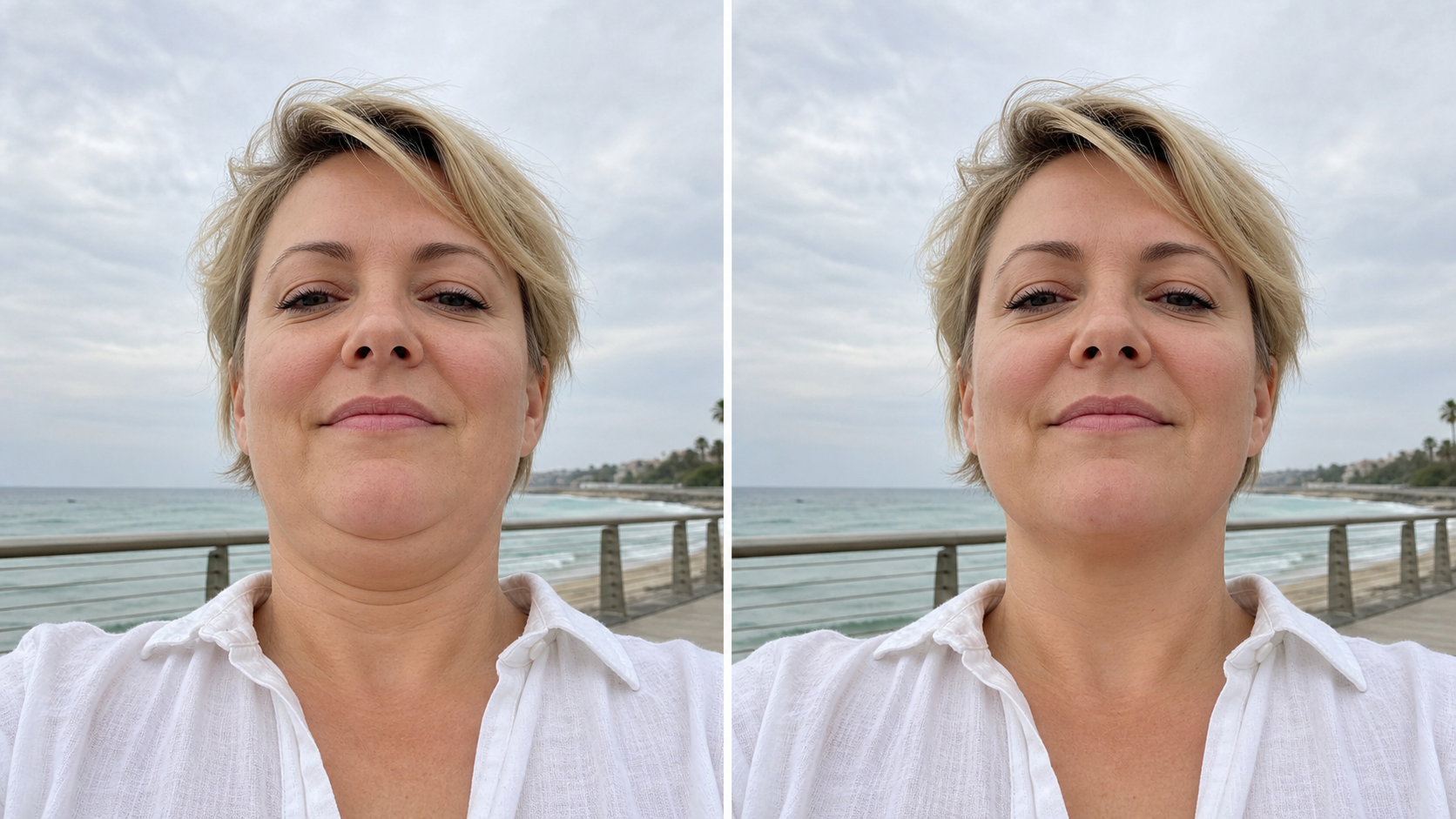
Remove double chin in photo online from a casual beach boardwalk portrait

Fast Online Flow

Remove double chin in photo online from any portrait upload

Use the page like a focused photo edit double chin workflow. Upload a selfie, dating profile shot, work headshot, birthday snapshot, travel portrait, or social image. Keep the default prompt when you want the safest result, or add instructions about the person, angle, and lighting. Emochi AI can remove double chin on photo uploads while keeping the background and clothing unchanged. That makes it useful when you want to remove double chin from photo free online for a quick visual draft, then refine again if the jawline needs a softer or stronger adjustment.

Online editorPortrait uploadPrompt control
Workflow

How to remove double chin from photo online

Use this four-step workflow to get rid of double chin in pictures while keeping the edit believable and close to the original portrait.

1

Upload the portrait

Choose the image where the expression and lighting are worth saving. The tool works best when the chin, neck, and jawline are visible, even if the camera angle created a double chin.

2

Keep the default prompt

The default prompt is written for one transformed output. It asks the editor to remove double chin from photo naturally, preserve identity, and avoid text, logos, watermarks, new people, or exaggerated slimming.

3

Generate the natural edit

Run the image-to-image edit. The model should focus on the under-chin area and jawline, not the whole face. Review whether the result still feels like the original person.

4

Refine only if needed

If the result is too strong, ask for a subtler edit. If it is too soft, ask to clean the under-chin shadow slightly more. Avoid asking for a new face or dramatic weight loss.

Prompt ideas for double chin removal photo editor online results

These prompt directions cover social portraits, family pictures, and profile photos. Use them when you need to remove double chin in pictures without losing realism.

Remove double chin from photo FAQ

Common questions about using an online double chin remover, keeping edits natural, and controlling prompt-based portrait cleanup.


Remove double chin from photo now

Upload a selfie or portrait and use Emochi AI to remove double chin from photo naturally, preserve identity, and keep the image realistic.

Try Double Chin Remover